Frequently asked questions: Business Photo Invitations
Upload your photo to an Evite business template. Then, send it to your guests by email, text, or a shareable link. Real-time RSVP tracking included.
What is a business photo invitation?
A business photo invitation is a professional event invite that uses your custom photograph. It can include a team photo, a product image, or custom artwork. The result is an invitation that looks and feels like it came from your organization.
On Evite, custom business Invitations come in three formats; each is built for a different kind of host:
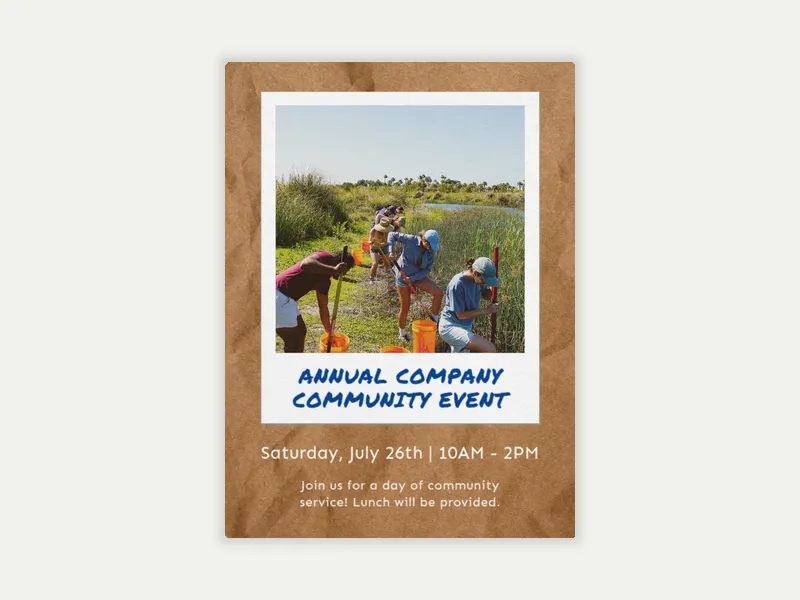
Photo invitations for business. Choose a template, drop in your own image (a headshot, a venue photo, a team shot), and add your event details.
Upload your own logo. Add your company or organization's logo to a professionally designed template. This is a strong option for corporate events, nonprofit galas, and launch party events. Choose a logo invitation for any occasion where brand recognition matters as much as the event itself.
Upload your own design. Arrive with a finished invitation, designed in-house, by an agency, or made in Canva. Use Evite for delivery, RSVP tracking, guest messaging, and automatic reminders.
Evite offers free and Premium options. Premium adds custom envelopes, animated effects, and stamps for an even more tailored invite.
How do you create an online invitation with a custom logo?
Adding a company logo to an online business Invitation is straightforward on Evite. Here's how:
Choose your template. Pick a layout that makes your logo shine. Styles range from bold and typographic to elegant and formal, depending on the occasion.
Upload your logo file. High-resolution PNGs with a transparent background produce the cleanest results across different template colors and backgrounds. Avoid JPEGs with white backgrounds, which can create a visible box around the logo on darker templates.
Add your event details. Event name, date, time, location, dress code, and RSVP deadline. For larger corporate events, a note about parking, entry instructions, or registration is worth including.
Add your guests and send invites by email, text, or a shareable link. Share the link on your company intranet, in a Slack channel, or in a team email thread.
Your Evite event dashboard tracks every response in real time after you send invitations. Evite sends automatic reminders to your guests. You can also message the full guest list if details change before the event.
What types of business events work best with a photo invitation?
A photo invitation adds the most value for personal, festive events. These are times when a logo or template feels too corporate and a picture can change the tone.
Business event types that benefit most from a photo invitation:
Employee appreciation events. A team photo or candid shot from a past company event makes the invite feel personal, not mass-sent.
Retirement and farewell parties. A photo of the guest of honor, solo or with the team, gives the invitation the warmth the occasion calls for.
Company anniversary celebrations. A throwback photo, a team shot, or an image from a milestone moment in the company's history adds meaning.
Holiday parties. A team photo or venue image adds a personal touch to a corporate holiday party invitation.
Client appreciation dinners. A photo of the host team or the venue shows care and intention.
Fundraisers and nonprofit galas. A photo that connects to the organization's mission makes the invitation do more than just announce an event.
How do you send a branded business invitation online?
You can send a branded business invitation on Evite in just a few minutes. Once you upload your logo, photo, or design, customize your Invitation and send it to guests. Three delivery options are available:
Email. Enter guest email addresses individually or import a list (or use your Evite address book). Each recipient gets the invite directly in their inbox.
Text. Add phone numbers to your guest list; guests receive a link via text and can RSVP directly from their phone.
Shareable link. Copy and paste your event link and share it yourself. Use a company email thread, a Slack channel, a LinkedIn event post, or your preferred company messenger to send.
All three methods send data to your event dashboard, where you track RSVPs in real time. Automated reminders go out to guests leading up to your event. The host can message the full guest list at once on Evite.
For teams and organizations that host events often, Evite Pro offers unlimited Premium Invitations and Greeting Cards. It costs $249.99 per year. This is a practical option when you need custom branded invitations often.
Ready to put your brand on the invite? Browse the full Business Custom Invitations gallery and find the right template for your next event. Looking for more business invitation styles? Explore the full Business Invitations collection for designs across every kind of professional gathering.